436 lines
10 KiB
Markdown
436 lines
10 KiB
Markdown
---
|
||
title: Linux 环境下Python版本管理神器 --- Pyenv(Centos 7.6)
|
||
date: 2020-11-02 15:33:56
|
||
tags: [Pyenv]
|
||
categories: [Python, Linux]
|
||
author: Anges黎梦
|
||
---
|
||
|
||
### 前言
|
||
|
||
> 它是一个简单的Python版本管理工具。
|
||
>
|
||
> 前身为Pythonbrew,pyenv允许你改变全局的python版本,安装多种不同的python版本,设置应用指定的python版本以及创建/管理虚拟的python环境(”virtualenv’s”)。
|
||
>
|
||
> 所有这些都在*NIX的机器上完成(Linux和OS X),它工作在用户空间,因而不需要sudo命令。
|
||
|
||
### 使用场景
|
||
|
||
> python 版本比较多,2 和 3 相差非常大,很多项目需要跑在同一台服务器上,
|
||
>
|
||
>我们可以选择直接运行,也可以选择使用 docker。
|
||
>
|
||
>如果用 docker 那就不需要隔离环境了,如果要直接运行在服务器上,那就必须有隔离环境。
|
||
>
|
||
>比如有的项目使用 python 3.5,有的项目使用 python 3.7,
|
||
>
|
||
>此时我们可以借助 pyenv 帮助我们完美的隔离环境,让多个版本的 python 没有任何冲突,完美共存。
|
||
|
||
### 环境说明
|
||
|
||
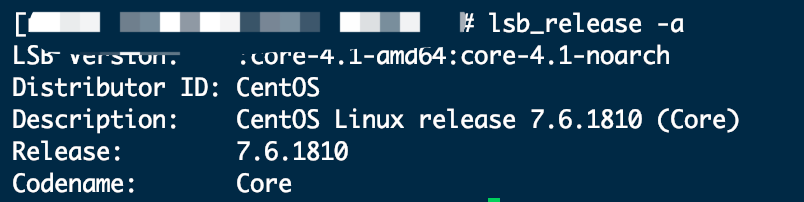
**系统版本:**
|
||
|
||
```shell script
|
||
lsb_release -a
|
||
```
|
||
|
||
|
||
|
||
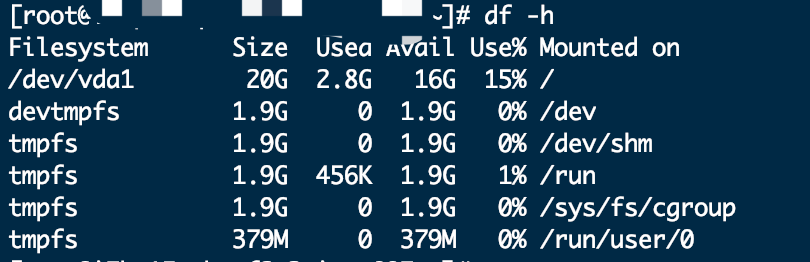
**服务器配置:**
|
||
|
||
```shell script
|
||
df -h
|
||
```
|
||
|
||
|
||
|
||
**git版本:**
|
||
|
||
> git用来下载安装包使用,若没有安装,可以使用 `yum install -y git` 命令安装
|
||
|
||

|
||
|
||
### 安装Pyenv
|
||
|
||
#### 安装依赖
|
||
|
||
```shell script
|
||
yum install zlib-devel bzip2-devel openssl-devel ncurses-devel sqlite-devel readline-devel tk-devel gdbm-devel db4-devel libpcap-devel xz-devel -y
|
||
```
|
||
|
||
#### 下载安装包
|
||
|
||
> 当前目录为 `root`
|
||
|
||
```shell script
|
||
git clone https://github.com/pyenv/pyenv.git ~/.pyenv
|
||
```
|
||
|
||

|
||
|
||
#### 配置环境变量
|
||
|
||
> 我下载到root目录下,配置环境变量直接用下面的即可。如果目录有修改,记得要修改环境变量中的配置。
|
||
|
||
```shell script
|
||
echo 'export PYENV_ROOT="$HOME/.pyenv"' >> ~/.bashrc
|
||
echo 'export PATH="$PYENV_ROOT/bin:$PATH"' >> ~/.bashrc
|
||
echo 'eval "$(pyenv init -)"' >> ~/.bashrc
|
||
exec $SHELL -l
|
||
```
|
||
|
||
#### 检查安装
|
||
|
||
> 列出所有可以安装的 `python` 版本
|
||
|
||
```shell script
|
||
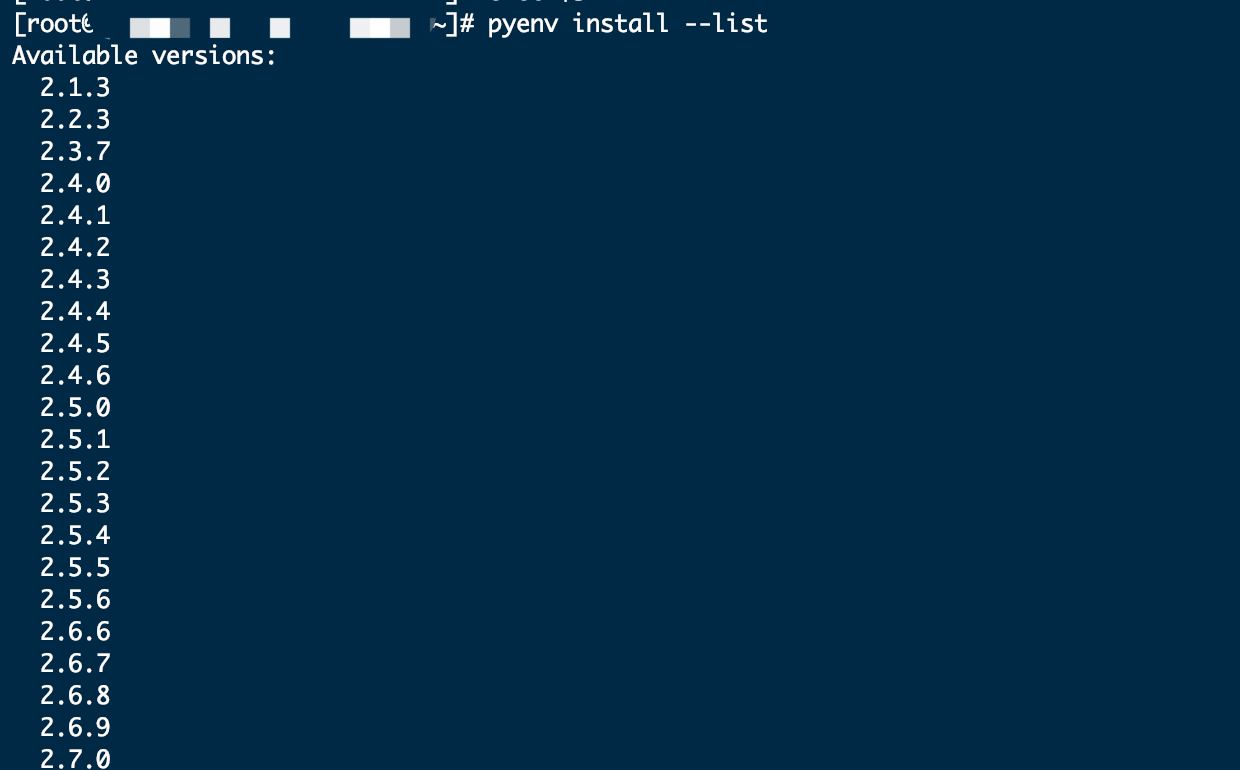
pyenv install --list
|
||
```
|
||
|
||
执行结果如图,可以看到能安装的 `python` 版本,即为成功。
|
||
|
||
|
||
|
||
### 安装 **Python** 版本
|
||
|
||
> 已经装好 `pyenv`,就可以开始安装想要安装的 `python` 版本了。
|
||
|
||
#### 命令行安装
|
||
|
||
**安装命令:**
|
||
|
||
> 安装时,会先去下载 `python` 包,然后再安装。
|
||
>
|
||
>过程可能比较长,取决与下载速度。
|
||
>
|
||
>这里建议可以下载好 `python` 包,然后再安装。
|
||
|
||
如何下载Python包,见 [Python环境搭建](http://www.angeszhu.cn/2020/07/05/python-install/)。
|
||
|
||
```shell script
|
||
pyenv install 3.8.6
|
||
```
|
||
|
||

|
||
|
||
#### 安装包安装
|
||
|
||
**检查缓存文件夹:**
|
||
|
||
```shell script
|
||
cd ~/.pyenv/
|
||
ls
|
||
```
|
||
|
||
进入目录检查目录中是否有 **cache** 文件夹。
|
||
|
||
若没有 **cache** 文件夹,则创建一个。
|
||
|
||
```shell script
|
||
mkdir cache
|
||
```
|
||
|
||
**安装包安装:**
|
||
|
||
把下载好的文件放到 **cache** 文件夹内。
|
||
|
||

|
||
|
||
**使用以下两个命令中的一个进行安装。**
|
||
|
||
```shell script
|
||
pyenv install 3.8.6 -v
|
||
pyenv install 3.8.6
|
||
```
|
||
|
||
若遇到报错(`安装Python` 或使用`pip`安装包)
|
||
|
||
```shell script
|
||
No module named '_ctypes'
|
||
```
|
||
|
||
可使用下面命令,
|
||
|
||
```shell script
|
||
yum install libffi-devel -y
|
||
```
|
||
|
||
`如果在安装包时遇到报错,安装依赖后如果还安装不成功,那么需要卸载Python重新安装`
|
||
|
||
### 常用命令
|
||
|
||
#### pyenv commands
|
||
|
||
> 列出所有可用的pyenv命令。
|
||
|
||
#### pyenv local
|
||
|
||
> 通过将版本名称写入`.python-version`当前目录中的文件来设置特定于本地应用程序的Python版本。
|
||
>
|
||
>此版本将覆盖全局版本,并且可以通过设置`PYENV_VERSION`环境变量或使用`pyenv shell `命令来覆盖自身。
|
||
|
||
```shell script
|
||
pyenv local 2.7.6
|
||
```
|
||
|
||
> 在没有版本号的情况下运行时,`pyenv local`报告当前配置的本地版本。
|
||
|
||
您还可以取消设置本地版本:
|
||
```shell script
|
||
pyenv local --unset
|
||
```
|
||
|
||
pyenv的早期版本将本地版本规范存储在名为的文件中`.pyenv-version`。
|
||
|
||
为了向后兼容,`pyenv`将读取`.pyenv-version`文件中指定的本地版本,但`.python-version`同一目录中的 文件优先。
|
||
|
||
#### pyenv local (高级)
|
||
|
||
> 您可以一次将多个版本指定为本地Python。
|
||
|
||
假设您有两个版本2.7.6和3.3.3。如果您选择2.7.6胜过3.3.3,
|
||
|
||
```shell script
|
||
$ pyenv local 2.7.6 3.3.3
|
||
$ pyenv versions
|
||
system
|
||
* 2.7.6 (set by /Users/yyuu/path/to/project/.python-version)
|
||
* 3.3.3 (set by /Users/yyuu/path/to/project/.python-version)
|
||
$ python --version
|
||
Python 2.7.6
|
||
$ python2.7 --version
|
||
Python 2.7.6
|
||
$ python3.3 --version
|
||
Python 3.3.3
|
||
```
|
||
|
||
或者,如果您更喜欢3.3.3而不是2.7.6,
|
||
|
||
```shell script
|
||
$ pyenv local 3.3.3 2.7.6
|
||
$ pyenv versions
|
||
system
|
||
* 2.7.6 (set by /Users/yyuu/path/to/project/.python-version)
|
||
* 3.3.3 (set by /Users/yyuu/path/to/project/.python-version)
|
||
venv27
|
||
$ python --version
|
||
Python 3.3.3
|
||
$ python2.7 --version
|
||
Python 2.7.6
|
||
$ python3.3 --version
|
||
Python 3.3.3
|
||
```
|
||
|
||
#### pyenv global
|
||
|
||
通过将版本名称写入`~/.pyenv/version`文件来设置要在所有`shell`中使用的`Python`全局版本。
|
||
|
||
可以通过特定于应用程序的`.python-version`文件或通过设置`PYENV_VERSION`环境变量来覆盖此版本。
|
||
|
||
```shell script
|
||
$ pyenv global 2.7.6
|
||
```
|
||
|
||
特殊版本名称`system`告诉`pyenv`使用系统`Python`(通过搜索进行检测`$PATH`)。
|
||
|
||
在没有版本号的情况下运行时,`pyenv global`报告当前配置的全局版本。
|
||
|
||
#### pyenv global (高级)
|
||
|
||
您可以一次将多个版本指定为全局Python。
|
||
|
||
假设您有两个版本2.7.6和3.3.3。如果您选择2.7.6胜过3.3.3,
|
||
```shell script
|
||
$ pyenv global 2.7.6 3.3.3
|
||
$ pyenv versions
|
||
system
|
||
* 2.7.6 (set by /Users/yyuu/.pyenv/version)
|
||
* 3.3.3 (set by /Users/yyuu/.pyenv/version)
|
||
$ python --version
|
||
Python 2.7.6
|
||
$ python2.7 --version
|
||
Python 2.7.6
|
||
$ python3.3 --version
|
||
Python 3.3.3
|
||
```
|
||
|
||
或者,如果您更喜欢3.3.3而不是2.7.6,
|
||
|
||
```shell script
|
||
$ pyenv global 3.3.3 2.7.6
|
||
$ pyenv versions
|
||
system
|
||
* 2.7.6 (set by /Users/yyuu/.pyenv/version)
|
||
* 3.3.3 (set by /Users/yyuu/.pyenv/version)
|
||
venv27
|
||
$ python --version
|
||
Python 3.3.3
|
||
$ python2.7 --version
|
||
Python 2.7.6
|
||
$ python3.3 --version
|
||
Python 3.3.3
|
||
```
|
||
|
||
#### pyenv shell
|
||
|
||
通过`PYENV_VERSION` 在外壳中设置环境变量来设置特定于外壳的`Python`版本。
|
||
|
||
此版本将覆盖应用程序特定的版本和全局版本。
|
||
|
||
```shell script
|
||
$ pyenv shell pypy-2.2.1
|
||
```
|
||
|
||
在没有版本号的情况下运行时,`pyenv shell`报告的当前值`PYENV_VERSION`。您还可以取消设置外壳版本:
|
||
|
||
```shell script
|
||
$ pyenv shell --unset
|
||
```
|
||
|
||
请注意,您需要启用`pyenv`的`shell`集成才能使用此命令。
|
||
|
||
如果您不想使用`Shell`集成,则可以`PYENV_VERSION`自己设置 变量:
|
||
|
||
```shell script
|
||
$ export PYENV_VERSION=pypy-2.2.1
|
||
```
|
||
|
||
#### pyenv shell (高级)
|
||
|
||
您可以`PYENV_VERSION`一次指定多个版本。
|
||
|
||
假设您有两个版本`2.7.6`和`3.3.3`。如果您选择`2.7.6`胜过`3.3.3`,
|
||
|
||
```shell script
|
||
$ pyenv shell 2.7.6 3.3.3
|
||
$ pyenv versions
|
||
system
|
||
* 2.7.6 (set by PYENV_VERSION environment variable)
|
||
* 3.3.3 (set by PYENV_VERSION environment variable)
|
||
$ python --version
|
||
Python 2.7.6
|
||
$ python2.7 --version
|
||
Python 2.7.6
|
||
$ python3.3 --version
|
||
Python 3.3.3
|
||
```
|
||
|
||
或者,如果您更喜欢3.3.3而不是2.7.6,
|
||
|
||
```shell script
|
||
$ pyenv shell 3.3.3 2.7.6
|
||
$ pyenv versions
|
||
system
|
||
* 2.7.6 (set by PYENV_VERSION environment variable)
|
||
* 3.3.3 (set by PYENV_VERSION environment variable)
|
||
venv27
|
||
$ python --version
|
||
Python 3.3.3
|
||
$ python2.7 --version
|
||
Python 2.7.6
|
||
$ python3.3 --version
|
||
Python 3.3.3
|
||
```
|
||
|
||
#### pyenv install
|
||
安装Python版本(使用python-build)。
|
||
```shell script
|
||
Usage: pyenv install [-f] [-kvp] <version>
|
||
pyenv install [-f] [-kvp] <definition-file>
|
||
pyenv install -l|--list
|
||
|
||
-l/--list List all available versions
|
||
-f/--force Install even if the version appears to be installed already
|
||
-s/--skip-existing Skip the installation if the version appears to be installed already
|
||
|
||
python-build options:
|
||
|
||
-k/--keep Keep source tree in $PYENV_BUILD_ROOT after installation
|
||
(defaults to $PYENV_ROOT/sources)
|
||
-v/--verbose Verbose mode: print compilation status to stdout
|
||
-p/--patch Apply a patch from stdin before building
|
||
-g/--debug Build a debug version
|
||
```
|
||
|
||
要列出所有可用的`Python`版本,包括`Anaconda`,`Jython`,`pypy`和`stackless`,请使用:
|
||
|
||
```shell script
|
||
$ pyenv install --list
|
||
```
|
||
|
||
然后安装所需的版本:
|
||
|
||
```shell script
|
||
$ pyenv install 2.7.6
|
||
$ pyenv install 2.6.8
|
||
$ pyenv versions
|
||
system
|
||
2.6.8
|
||
* 2.7.6 (set by /home/yyuu/.pyenv/version)
|
||
```
|
||
|
||
#### pyenv uninstall
|
||
|
||
卸载特定的`Python`版本。
|
||
|
||
```shell script
|
||
Usage: pyenv uninstall [-f|--force] <version>
|
||
|
||
-f Attempt to remove the specified version without prompting
|
||
for confirmation. If the version does not exist, do not
|
||
display an error message.
|
||
```
|
||
|
||
#### pyenv rehash
|
||
|
||
为`pyenv`(即`~/.pyenv/versions/*/bin/*`)已知的所有`Python`二进制文件安装垫片 。
|
||
|
||
在安装新版本的`Python`或安装提供二进制文件的软件包之后,请运行此命令。
|
||
|
||
```shell script
|
||
$ pyenv rehash
|
||
```
|
||
|
||
#### pyenv version
|
||
|
||
显示当前活动的`Python`版本,以及有关如何设置的信息。
|
||
|
||
```shell script
|
||
$ pyenv version
|
||
2.7.6 (set by /home/yyuu/.pyenv/version)
|
||
```
|
||
|
||
#### pyenv versions
|
||
|
||
列出`pyenv`已知的所有`Python`版本,并在当前活动版本旁边显示一个星号。
|
||
|
||
```shell script
|
||
$ pyenv versions
|
||
2.5.6
|
||
2.6.8
|
||
* 2.7.6 (set by /home/yyuu/.pyenv/version)
|
||
3.3.3
|
||
jython-2.5.3
|
||
pypy-2.2.1
|
||
```
|
||
|
||
#### pyenv which
|
||
|
||
显示运行给定命令时`pyenv`将调用的可执行文件的完整路径。
|
||
|
||
```shell script
|
||
$ pyenv which python3.3
|
||
/home/yyuu/.pyenv/versions/3.3.3/bin/python3.3
|
||
```
|
||
|
||
#### pyenv whence
|
||
|
||
> 列出安装了给定命令的所有`Python`版本。
|
||
|
||
```shell script
|
||
$ pyenv whence 2to3
|
||
2.6.8
|
||
2.7.6
|
||
3.3.3
|
||
```
|